
Toothbrush Timer1.2 - App Store
You'll be able to see results in few seconds.
Publisher Description
OVERVIEW
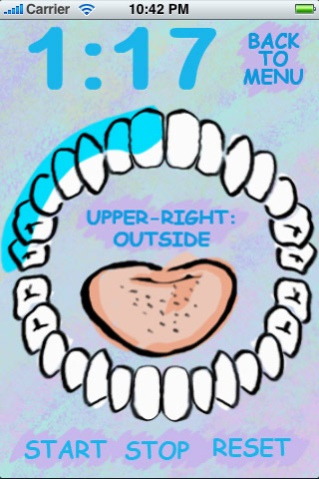
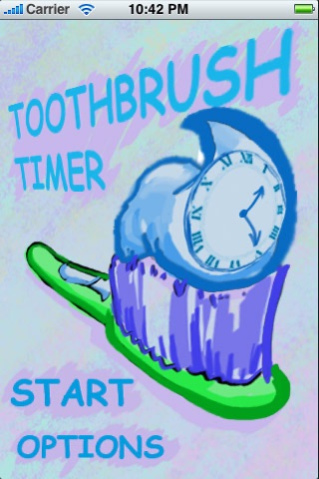
The exciting new twist on brushing your teeth! We live in the 21st century, so let's brush our teeth like it! No more caveman guessing how long to brush, Toothbrush Timer guides you the whole way through! Imagine a world, where everyday you finish brushing your teeth to a roaring applause. Complete with cool blue graphics that are easy on the morning eyes and awesome tips that will surely help your dental game.
FEATURES
Toothbrush Timer includes all of these great features:
- TIMER
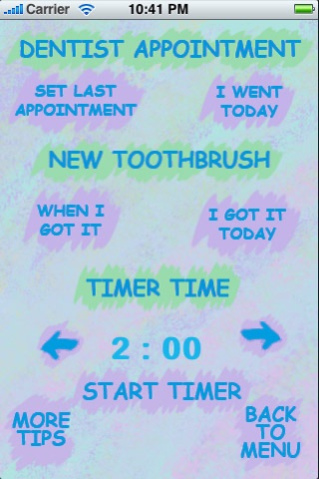
Using a timer makes brushing extremely effective. Toothbrush Timer tells you when and where to brush your teeth using dentist recommended tips. Scientific data suggests that lack of proper brushing can cause advanced gum disease and can even increase the risks of serious conditions such as cardiovascular disease, stroke, or pneumonia. The timer helps to reduce these risks by giving you the ability to use the two minute interval (for electric toothbrushes) or adjustable intervals for traditional toothbrushes.
- TOOTHBRUSH TRACKER
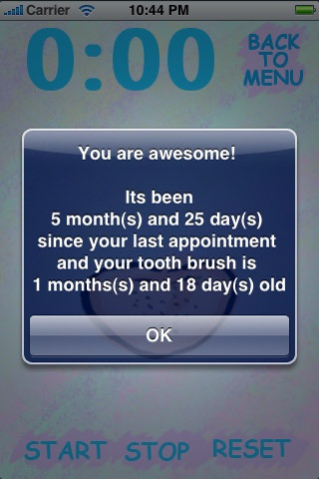
Do you remember how long ago your current toothbrush was purchased? Worn toothbrushes can damage gum tissue, become a breeding ground for germs, or lose effectiveness. Dentists recommend replacing toothbrushes every 3 months. Luckily, Toothbrush Timer comes with a toothbrush tracker that alerts you how long your toothbrush has been used.
- DENTIST REMINDER
Don't get any more cavities! Toothbrush Timer reminds you of your last dentist appointment, so that you can make time in your busy day to get checked out.
Brushing your teeth will never be the same again!
Aug 1, 2011
Version 1.2
Local notifications for appointment reminders and updated retina icon
About Toothbrush Timer
The company that develops Toothbrush Timer is Ryan Newsome. The latest version released by its developer is 1.2.
To install Toothbrush Timer on your iOS device, just click the green Continue To App button above to start the installation process. The app is listed on our website since 2011-08-01 and was downloaded 0 times. We have already checked if the download link is safe, however for your own protection we recommend that you scan the downloaded app with your antivirus. Your antivirus may detect the Toothbrush Timer as malware if the download link is broken.
How to install Toothbrush Timer on your iOS device:
- Click on the Continue To App button on our website. This will redirect you to the App Store.
- Once the Toothbrush Timer is shown in the iTunes listing of your iOS device, you can start its download and installation. Tap on the GET button to the right of the app to start downloading it.
- If you are not logged-in the iOS appstore app, you'll be prompted for your your Apple ID and/or password.
- After Toothbrush Timer is downloaded, you'll see an INSTALL button to the right. Tap on it to start the actual installation of the iOS app.
- Once installation is finished you can tap on the OPEN button to start it. Its icon will also be added to your device home screen.
Program Details
System requirements
Download information
Pricing
Version History
version 1.2
posted on 2011-08-01
Aug 1, 2011 Version 1.2
Local notifications for appointment reminders and updated retina icon
version 1.2
posted on 2009-03-09
version 1.2
posted on 1970-01-01
2011年8月1日 Version 1.2
Local notifications for appointment reminders and updated retina icon
Disclaimer
Official App Store Link
We do not host Toothbrush Timer on our servers. We did not scan it for viruses, adware, spyware or other type of malware. This app is hosted by Apple and passed their terms and conditions to be listed there. We recommend caution when installing it.
The App Store link for Toothbrush Timer is provided to you by apps112.com without any warranties, representations or guarantees of any kind, so access it at your own risk.
If you have questions regarding this particular app contact the publisher directly. For questions about the functionalities of apps112.com contact us.
